
 Font Awesome
📅 It’s about time
We know you’ve been waiting for a date, and we’re not about to let you get stood up. Four new components are here to sweep you off your feet:
<wa-date-picker>
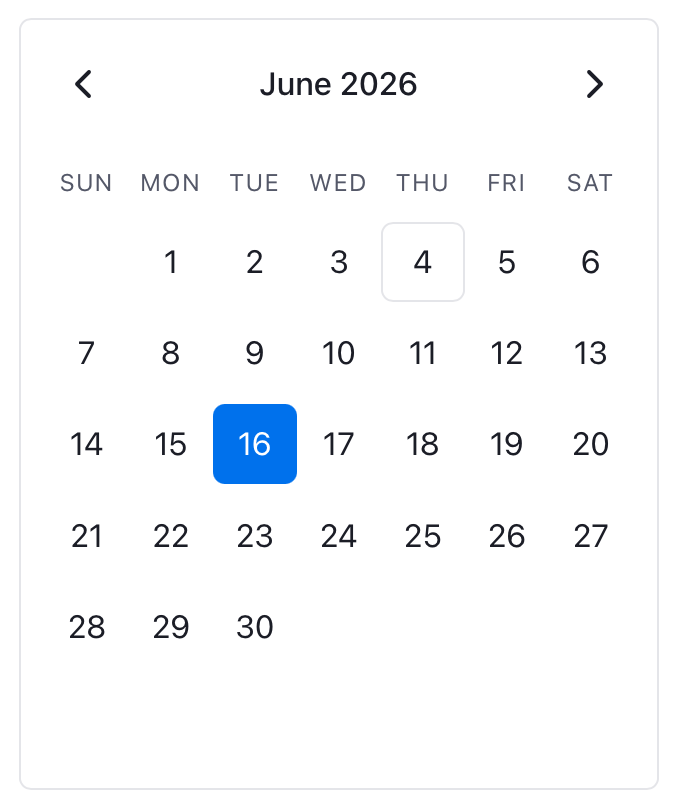
Grab <wa-date-picker> to display an inline calendar for selecting a date or date range. Show one or multiple months at a time, disable specific dates or days of the week, customize how days of the week are labeled…the possibilities are (nearly) endless.
<wa-date-input>
Snag <wa-date-input> for a form-associated date input, letting users edit discrete segments for day, month, and year with the keyboard or select from a date picker popup. The date picker popup supports that same customization options as <wa-date-picker>.
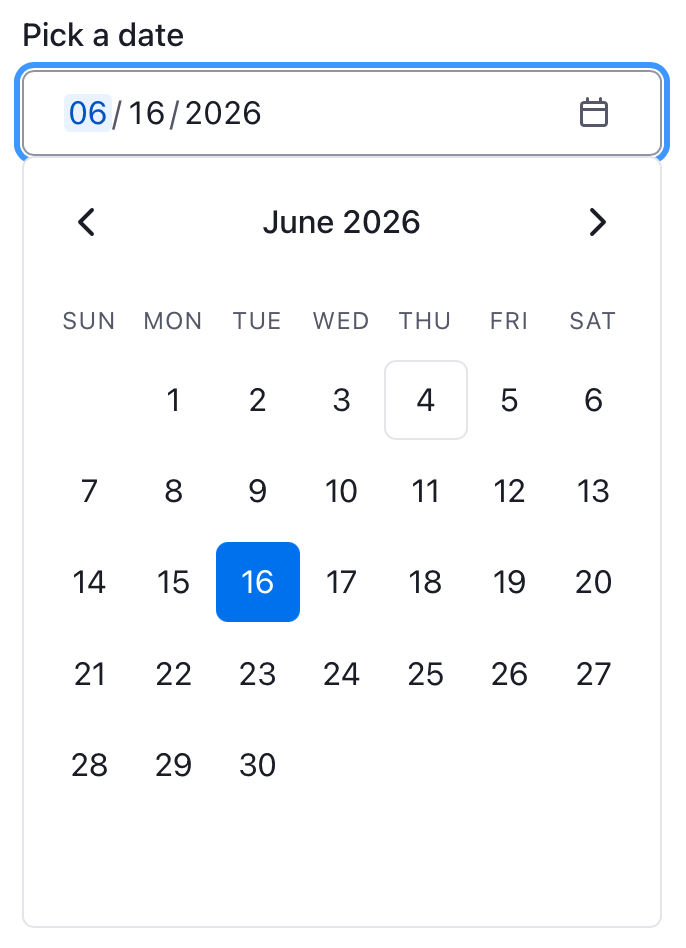
<wa-date-input> localizes the input format based on the lang=”” attribute set on the component or any parent element so that day, month, and year appear in a familiar order.
<wa-known-date>
Sometimes, having too many dates to choose from is a burden. Reach for <wa-known-date> for dates that your users know by heart, like birthdays or expirations. <wa-known-date> shows three separate fields for day, month, and year in a neatly packaged fieldset that submits a single ISO date value. No need to page through months– or years-worth of dates to find the right one.
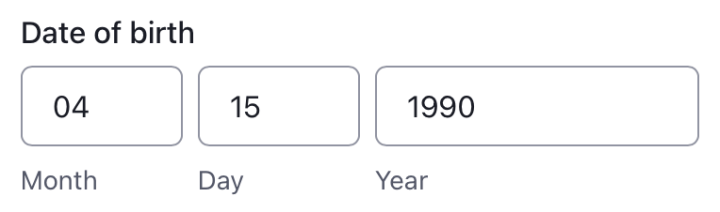
Like <wa-date-input>, <wa-known-date> renders each field in the order most familiar to the current locale.
<wa-time-input>
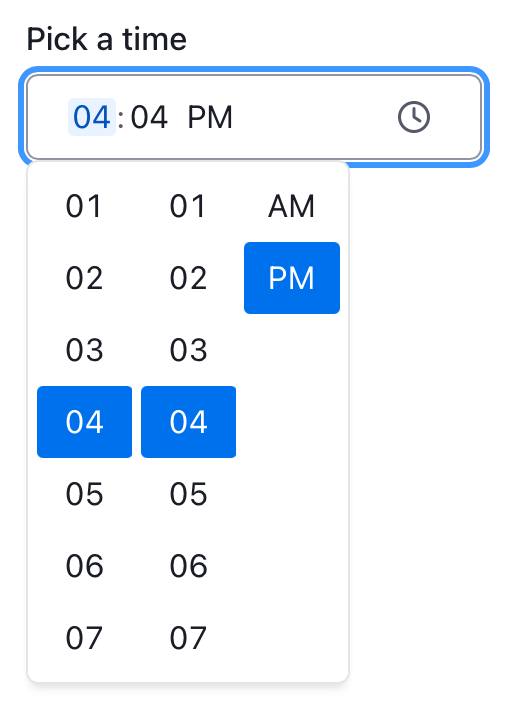
For something of a smaller scale, grab <wa-time-input> for a form-associated time input. Users can edit discrete segments for hour, minute, and optional second with an additional AM/PM option depending on the locale. Users can type to enter their values or select from a popup.
🪗 Bellowing for <wa-accordion>
Who doesn’t love a little polka? …wait, not that accordion.
Play with <wa-accordion> (and <wa-accordion-item>) to display synchronized, expandable sections of content. Choose whether only one or multiple accordion items can be expanded at once, and enjoy super smooth animations to transition from one state to another.

☝️ Remember: All new components are released in experimental status until they’re properly battle-tested on real websites. If you run into something that’s not working for you, let us know.
Enough new components for one day…
⚙️ Giving back(end) with SSR
Web Awesome now supports server-side-rendering.
Server-side rendering, or SSR, first renders your webpage on the server before sending the fully formed HTML to a user’s browser. This helps optimize your content for search engines and improves initial loads times — there’s no waiting for JavaScript to load before your content appears.
For Web Awesome components, Declarative Shadow DOM allows us to load the HTML markup of a component, then hydrate the component once JavaScript kicks in to add the full-featured interactivity. Doing so renders an approximation of the component right away and helps reduce layout shifting.
You can try using SSR with Web Awesome in your own project, or toggle the “Try SSR” switch on our docs to see it in action.
As a brand-new, experimental feature, there are existing bugs and limitations to be mindful of. If you encounter an issue that hasn’t already been reported, please report the issue on GitHub so we can continue refining the SSR experience.
🚚 We know it’s already a lot…
…but we have plenty of other goodies and improvements in WA 3.8, including:
- An image=”” attribute for <wa-qr-code> to add logos to the center of a QR code
- Text transform utilities: wa-text-uppercase, wa-text-lowercase, and wa-text-capitalize
- Text alignment utilities: wa-text-start, wa-text-center, wa-text-end, and wa-text-justify
- A wa-prose utility for applying typographic rhythm to long-form content
- Updates to Native Styles, including a style reset for <menu>, new styles for <figcaption>, and improvements to a number of text elements
- An overhaul of our theming documentation with new guidance on detecting color scheme preferences and using built-in classes to make existing themes your own
Pop over to our changelog for the laundry list of everything fresh in WA 3.8.